Reading Translations, Tafsir and Word-by-Word
Open translations, tafsir, and word-by-word meaning while you read.
TL;DR
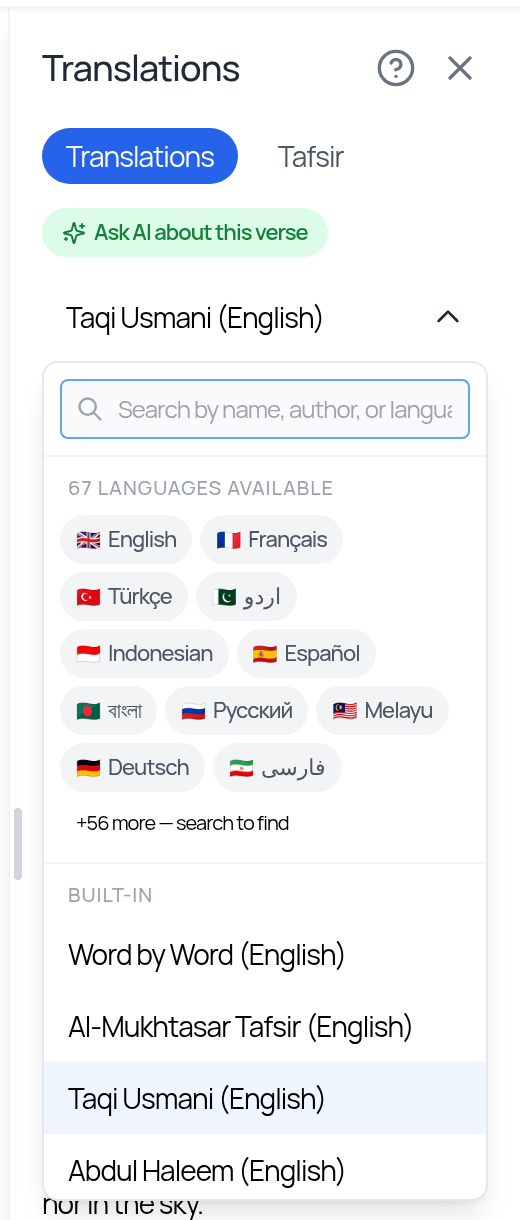
Tapping Show translations in the header opens a side panel with two tabs: Translations, where Select Translation includes Word by Word, and Tafsir, with TafsirTool and Classical sources. You can resize the panel and keep reading and annotating while it stays open.
Last updated 27 September 2026

While reading a Qur'an mushaf, you can bring up meaning right alongside the Arabic without leaving the page.
How to Open It
Tap Show translations in the top header. A panel slides in from the side with two tabs: Translations and Tafsir. On the Translations tab, use Select Translation to choose what to show — Word by Word is one of the choices. The Tafsir tab has two sources: TafsirTool and Classical. The panel follows the page you are on.
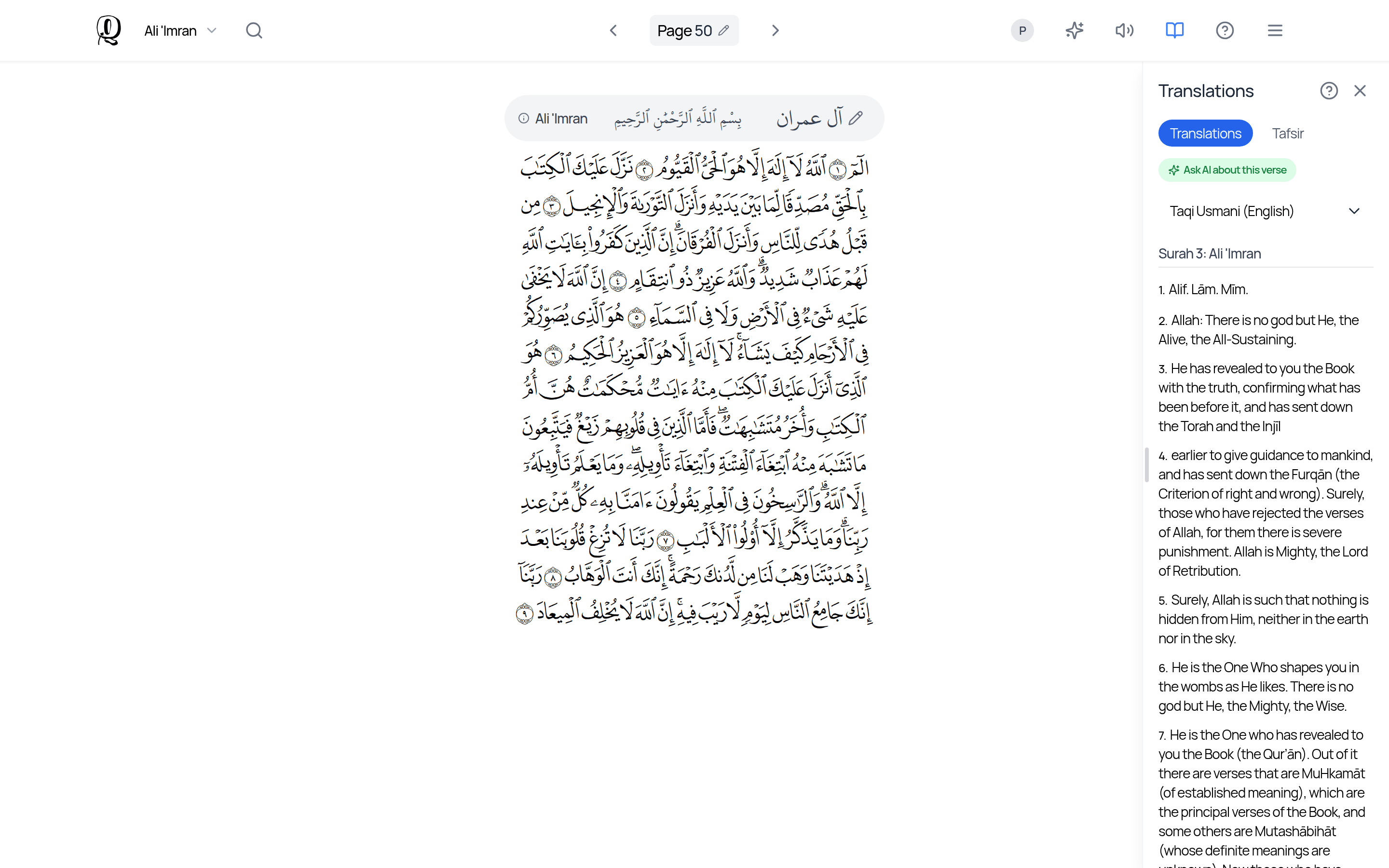
You can resize the panel, and you can keep reading and annotating while it stays open.
Translations and tafsir are a helpful study aid, but they are not a replacement for qualified teachers and trusted Islamic scholarship.
Related Articles
Was this helpful?
Ready to annotate the Qurʼān?
Qurannotate is free to start — no sign-up required on web.