Linking to Another Verse or Page
Drop a tappable link inside a note that jumps to another verse or page.
TL;DR
In a text box on a Qur'an note or Canvas page, type "/" to insert a tappable link to another verse, note, or page — for example /link 2:20 — or to insert ayahs, hadith, and honourifics such as ﷺ. These slash commands don't work in new Document notebooks.
Last updated 27 September 2026

You can place a tappable link inside a typed note that jumps straight to another surah, verse, or one of your pages. This is how you connect related ideas across your study.
How to Add a Link
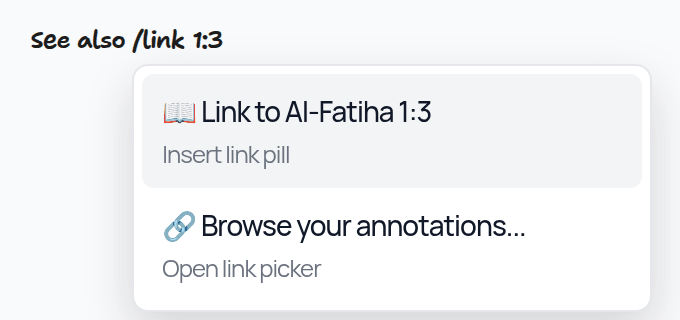
While typing in a text box on a Qur'an note or a Canvas notebook page, type "/" to open the slash menu. Type "link" followed by a reference — for example, /link 2:20 for Surah 2, Ayah 20 — and choose Link to …. Or type /link and choose Browse your annotations... (also at Insert > Link to annotation or page) to search your notes, notebooks, and pages. The link is inserted into your note as a pill. Tapping it later takes you straight there.

Use links to connect similar ayahs, tie a short reflection to a longer tafsir note, or jump between a note and a revision page.
The same "/" menu can also insert ayahs (for example /2:255), hadith (for example /bukhari:1), and honourifics such as ﷺ — type /pbuh, then pick it from the menu to insert the symbol.
Documents have their own / menu: type / in a Document to pick Link to annotation or page, Search Ayah, Search Hadith or an honourific such as ﷺ.
Related Articles
Was this helpful?
Ready to annotate the Qurʼān?
Qurannotate is free to start — no sign-up required on web.