How Your Notes Collapse Into the Qur'an
See how your annotations tuck neatly into the Qur'an and reopen anytime.
TL;DR
Notes attach to the exact verse, word, surah, or page you annotate and then collapse into a subtle highlight, keeping the page clean to read. Tapping the highlight again (for a verse, its end-of-verse marker) reopens the note in full to read, edit, or add to.
Last updated 27 September 2026

One of Qurannotate's core ideas is that your notes tuck neatly into the Qur'an itself, instead of living in a separate document you have to keep track of.
When you annotate a verse (or a word, surah, or page) and finish, your work is saved onto that exact spot. The page then shows a subtle highlight to mark that a note is there. Your page stays clean and easy to read — the note is "collapsed" into it.
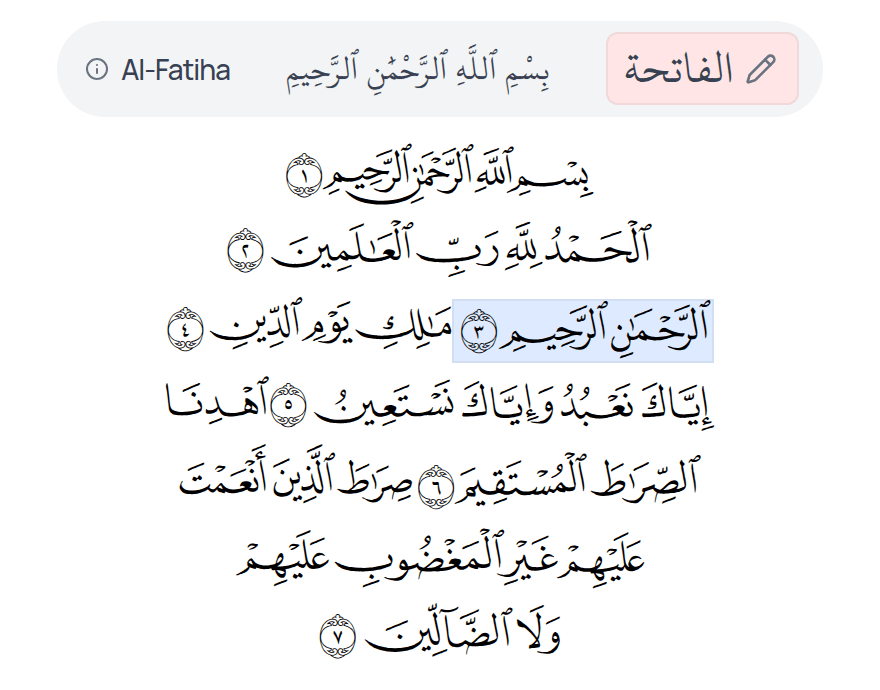
Reopening a Note
Tap the highlighted spot again and your note expands back into its full space, ready to read, add to, or edit. For a verse note, tap the verse's end-of-verse marker (the last symbol of the verse), or in an Ayah by Ayah mushaf the verse's box outside the words. Tapping a word opens that word's own note instead. Because notes stay attached to the Qur'an, everything lives in one place and is easy to revisit later.
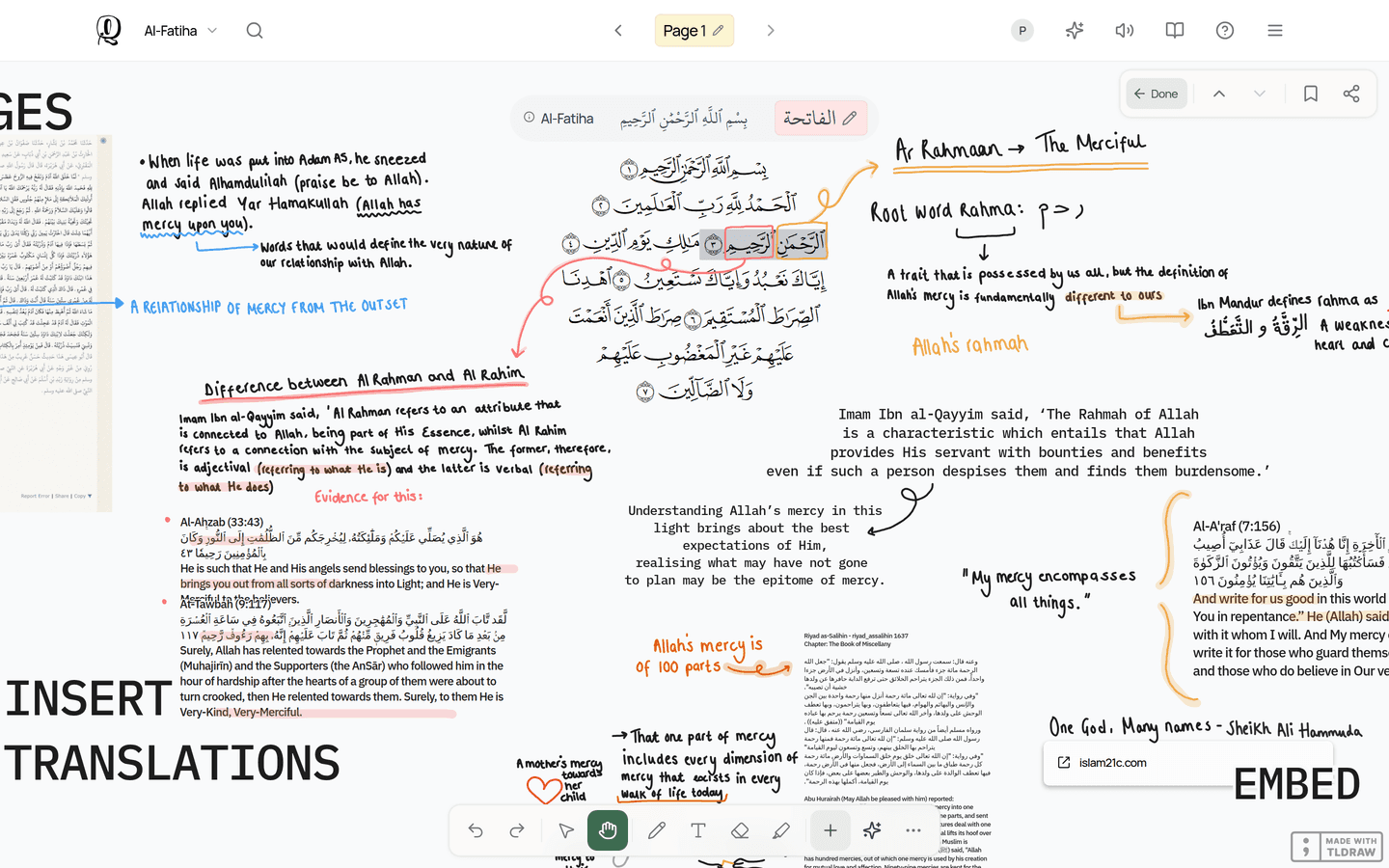
Collapsing keeps deeper reflections close to the verse they belong to without cluttering your reading space.
Related Articles
Was this helpful?
Ready to annotate the Qurʼān?
Qurannotate is free to start — no sign-up required on web.