Managing or cancelling your membership
Manage, change or cancel your membership on web, iPhone/iPad or Android.
Last updated 27 September 2026
Where to find it
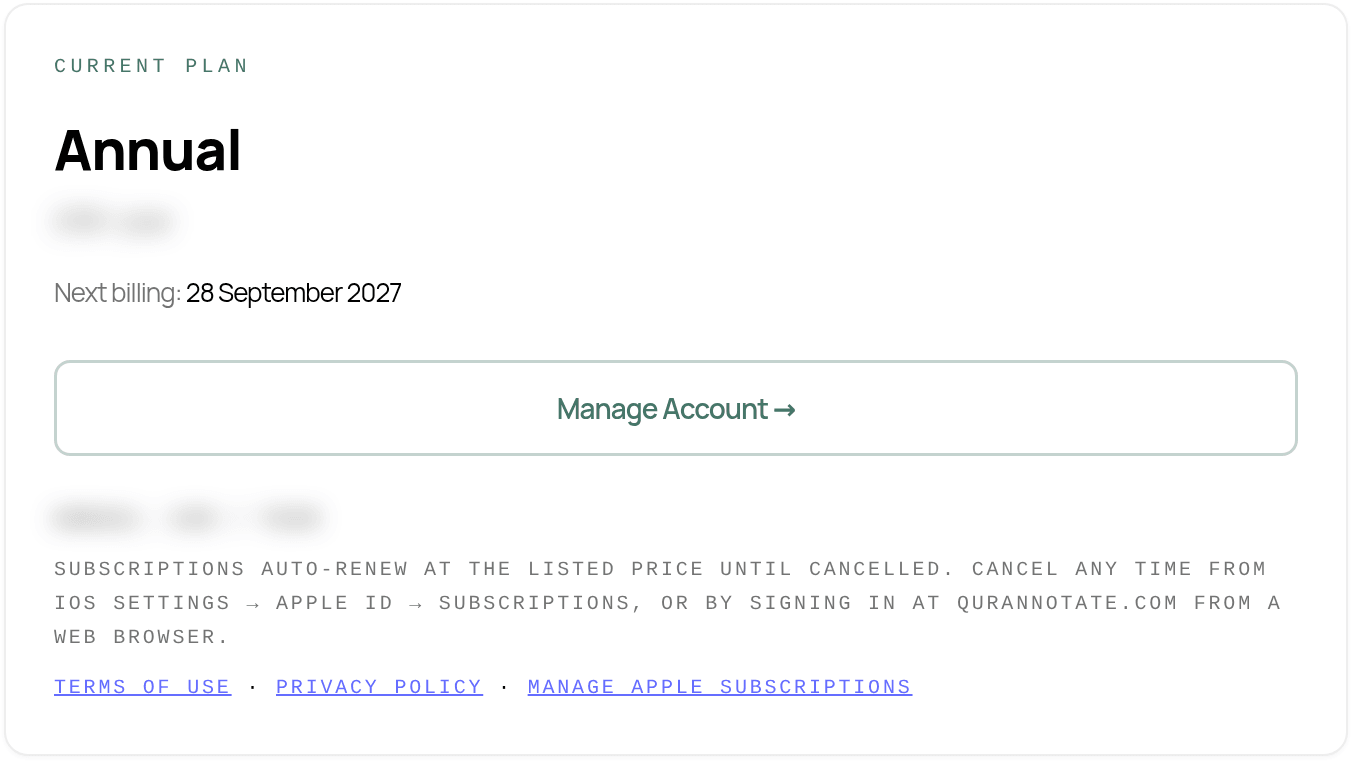
Open Settings (on phones, Profile), then the Plan tab. (From the Account tab you can also tap Open subscription settings →.)
The Plan tab shows your Current plan, the price or how you're billed, and your Next billing date.
Cancelling or changing your plan
Tap Manage Subscription. Where it takes you depends on where you bought your membership, not on the device you're using:
- —Bought on the web or desktop (card payment): opens a secure billing page where you can cancel, change plan, update your card and see invoices.
- —Bought in the iPhone/iPad app (Apple): opens your Apple subscriptions. You can also cancel on your iPhone/iPad in Settings > [your name] > Subscriptions. Apple handles billing and refunds for these purchases.
- —Bought in the Android app (Google Play): opens your Google Play subscriptions. You can also go to Google Play > Payments & subscriptions > Subscriptions. Google handles billing and refunds for these purchases.
If you have more than one active purchase, you'll see separate buttons: Manage Apple Subscription, Manage Google Play Subscription and Manage Card Billing.
On the web and desktop there is also Manage Account →, which opens your account page.
Payment problems
If the Plan tab says "Your last payment didn't go through. Update your payment method to keep your plan.", tap Manage Subscription and update your payment details.
School plans
- —Organisation access is managed by your school's administrator. Contact them for billing or seat changes.
Important
- —Deleting your account or the app does not cancel your subscription. Cancel it here (or with Apple/Google) first.
- —If you cancel, your notes are not deleted. If your access ends, you'll see the upgrade screen, and your notes are still there when you subscribe again.
- —AI Pro (the monthly AI credits add-on) is a separate subscription and is managed the same way.
Need help with billing? Email salam@qurannotate.com with the email on your account.
Related Articles
Was this helpful?
Ready to annotate the Qurʼān?
Qurannotate is free to start — no sign-up required on web.