Exploring the Qurannotate Dashboard
Get to know your home screen and how to find your way around it.
TL;DR
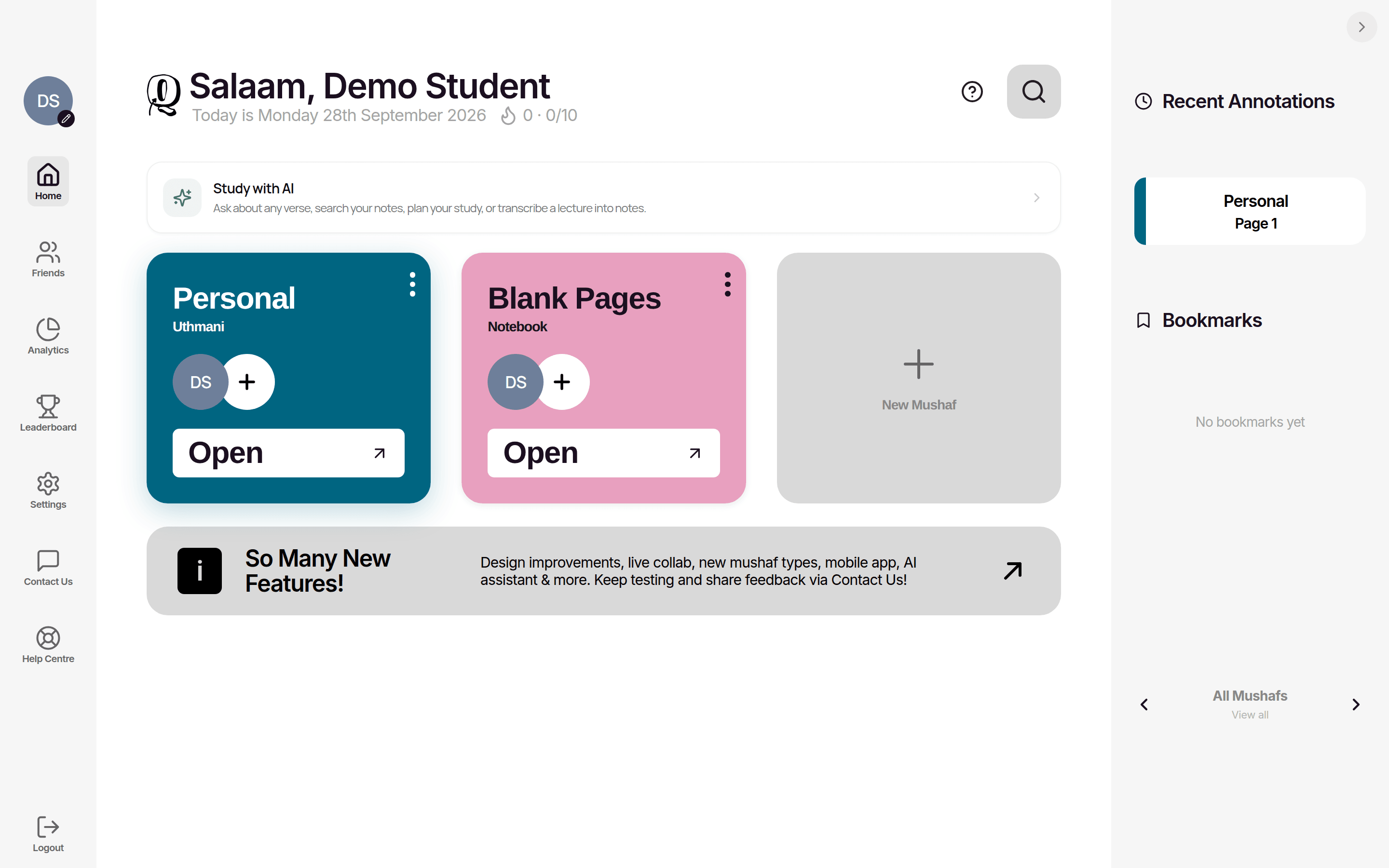
The dashboard is your home screen, where your mushafs and notebooks sit alongside a search icon for exploring the Qur'an, your streak and daily goal, and your bookmarks. A sidebar reaches friends, analytics, the leaderboard, settings, and contact, and every piece of work starts and returns here.
Last updated 27 September 2026

The dashboard is your home screen. Every time you open Qurannotate you land here. It is where all of your work lives and where you start anything new.
What You Will Find
- —Search — the search icon at the top opens Explore, where you can find any surah, juz, page, or verse of the Qur'an.
- —Your mushafs and notebooks — your bookshelf of saved work. Tap one to carry on, or tap the New Mushaf card to start a new one.
- —Daily goal — the flame next to the greeting shows today's annotations towards your goal (for example 3/10). Change the goal on the Streaks page.
- —Streak and activity — tap the flame to open Streaks. Your monthly activity calendar is under Analytics.
- —Bookmarks — verses you have saved, kept together for quick access.
Friends, Progress and Settings
- —Friends — add or remove friends, build friend streaks together, and accept invitations to collaborate on a mushaf.
- —Analytics — track your activity and progress over time so you can see how your study is building up.
- —Leaderboard — see how you compare with your friends, with an optional global leaderboard too.
- —Settings — manage your account and plan, switch your theme between light and dark mode, and reach the team through contact.
- —Contact us / Feedback — send the team a message, report a bug, or share an idea.
Think of the dashboard as the centre of your study space. Everything you create starts here and returns here, which keeps your work easy to find as it grows.
Spend a minute exploring the dashboard the first time you open Qurannotate so you know where to find and create your work.
Open Qurannotate and land on the Dashboard.
Tap the search icon at the top to find any surah or verse.
Tap the New Mushaf card to start a new mushaf or notebook.

Related Articles
Was this helpful?
Ready to annotate the Qurʼān?
Qurannotate is free to start — no sign-up required on web.