Pen Settings: Colour, Thickness and Opacity
Customise how your pen writes — colour, thickness, opacity, and stroke.
TL;DR
With the Pen selected you can set its colour (12 options), thickness (S, M, L, XL), opacity, and — in notebooks and documents — stroke style. Each tool remembers its own settings, so the Pen and Highlighter can be configured differently.

When the Pen is selected, its settings let you customise how your handwriting and drawing look.
- —Colour — choose from 12 colours. Build a simple system, such as one colour for reflections and another for tafsir.
- —Thickness — four sizes: S, M, L, and XL.
- —Opacity — how solid or see-through the line is.
- —Stroke style — Draw, Solid, Dashed, or Dotted.
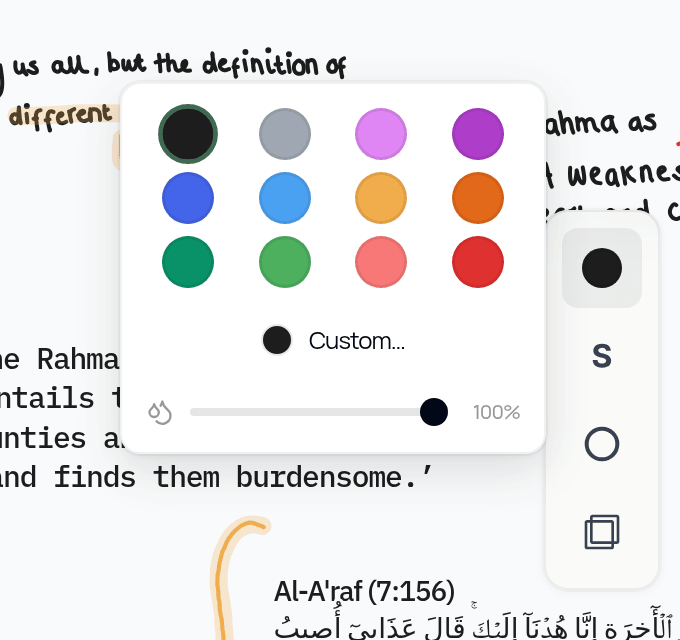
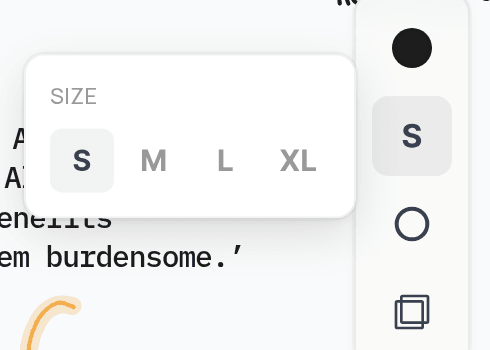
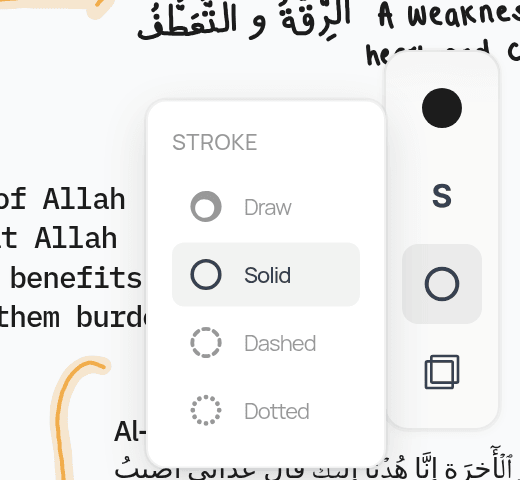
On desktop and iPad these controls appear in the style panel to the side. On phones, tap the colour dot next to the Pen for a quick colour and size popover. Each tool remembers its own settings, so your Pen and Highlighter can be set up differently.
There is no separate "hardness" setting — thickness and opacity together control how your strokes feel and look.
Create a simple colour system, for example one colour for reflections, one for class notes, and one for revision.
Related Articles
Was this helpful?
Ready to annotate the Qurʼān?
Qurannotate is free to start — no sign-up required on web.