Notifications and study reminders
Turn study reminders and other notifications on or off in the mobile apps.
Last updated 27 September 2026
Push notifications and reminders (iPhone/iPad and Android apps)
Open Settings (Profile on phones) and choose the Notifications tab. This tab only appears in the mobile apps.
- —Push Notifications > Social: friend requests, collaboration invites and group invites. Turn it on or off.
- —Study Reminders > Study reminders: gentle nudges if you haven't opened the app in a few days, and a reminder to keep a streak going. They arrive during the day, not late at night. On by default. Turn it off here.
You can also turn off all Qurannotate notifications in your phone's system settings.
The web and desktop apps don't send push notifications. Friend and collaboration requests appear on the Friends page, with a badge showing how many are waiting.
Emails
- —Account emails (verification, password reset) are always sent when you ask for them.
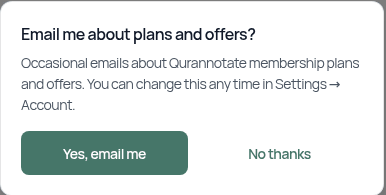
- —Plans and offers emails: control these in Settings > Account > Email about plans and offers. On the web or desktop you may be asked once, "Email me about plans and offers?". Choose Yes, email me or No thanks. You can change it any time in Settings > Account.

- —You can also use the unsubscribe link in any marketing email.
Related Articles
Was this helpful?
Ready to annotate the Qurʼān?
Qurannotate is free to start — no sign-up required on web.